

QuickBooks Accounting Ready for
Get Started
Tunisia DGI e-Invoicing
Compliance That Fits QuickBooks Users
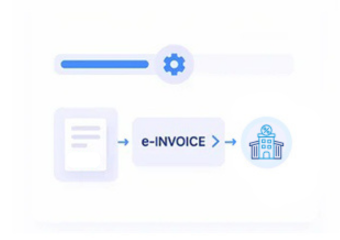
How QuickBooks Invoices Move Through DGI Processing
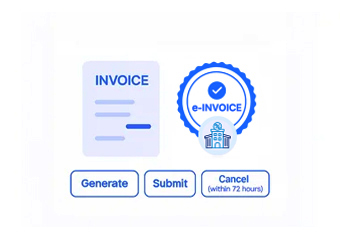
- QuickBooks Data Capture: Invoice information is securely collected from QuickBooks and transferred into the connected electronic invoicing workflow without disrupting regular accounting activities.
- DGI Information Checks: Relevant invoice details are reviewed against DGI requirements, including taxpayer information, transaction details, invoice references, taxable amounts, and applicable VAT information.
- Electronic Data Preparation: QuickBooks invoice information is structured into the applicable electronic format before entering the Tunisia DGI invoicing process.
- Validation and Processing: Prepared information moves through defined compliance checks, supporting consistency between QuickBooks records and DGI requirements throughout processing.
- Regulatory Submission: Validated invoices are routed through the applicable Tunisia electronic invoicing infrastructure for regulatory processing under the DGI framework.
- Invoice Record Tracking: Processed invoice information is maintained in organized records, allowing accounting teams to follow DGI-related invoice activity and maintain useful historical information.
What Advintek Connects to QuickBooks
Advintek links QuickBooks accounting workflows with Tunisia DGI e-invoicing processes by preparing invoice information, checking required details, supporting regulatory submission, and tracking processing activity without changing the core QuickBooks environment.
- Converts QuickBooks invoice information into structured electronic records
- Checks invoice details against applicable DGI requirements
- Connects QuickBooks workflows with Tunisia electronic invoicing
- Tracks DGI responses and invoice processing status
Business Benefits of Connected QuickBooks Invoicing
- DGI Checks Within the Workflow: Invoice information can pass through DGI-focused validation as part of the connected QuickBooks process, reducing separate manual compliance checks.
- More Consistent Invoice Preparation: Standardized processing stages help teams manage recurring QuickBooks invoices consistently while keeping relevant information aligned with DGI requirements.
- Less Repetitive Accounting Administration: Automated preparation and validation activities reduce repeated manual tasks across QuickBooks invoicing and connected compliance workflows.
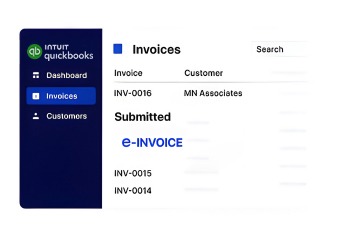
- Improved Processing Visibility: Teams can monitor invoice activity, DGI feedback, submission progress, and processing information throughout the connected electronic invoicing workflow.
- Better Data Continuity: Structured processing helps maintain consistency between QuickBooks accounting records and information used during DGI electronic invoice processing.
- Greater Regulatory Readiness: QuickBooks invoice information is processed with applicable DGI requirements in mind, helping improve accuracy and reduce avoidable compliance issues.
Everything You Need for Tunisia E-Invoicing in One Place
Pre-Submission Invoice Checks
Invoice information is reviewed before regulatory transmission, helping identify incomplete details and supporting corrections within the connected processing workflow.
Centralized Compliance Monitoring
A connected view provides visibility into QuickBooks invoices, DGI validation activity, submission progress, and relevant electronic invoicing records.
Ongoing DGI Assistance
Continued support helps address processing issues, maintain alignment with DGI requirements, and support stable electronic invoicing operations connected with QuickBooks.
Made for QuickBooks Accounting Teams in Tunisia
Businesses using QuickBooks for accounting and invoicing can connect established financial activities with DGI e-invoicing requirements while continuing familiar accounting workflows.
- Continue managing invoices through QuickBooks
- Connect accounting information with DGI compliance
- Maintain organized electronic invoice records
- Reduce repetitive compliance activities
Tunisia DGI e-Invoicing
Advintek connects QuickBooks accounting with DGI requirements, helping businesses manage electronic invoice processing through structured compliance workflows.
Keep QuickBooks invoice information aligned with DGI requirements through connected validation, submission, tracking, and organized electronic record management.
Ready e-Invoice System
Frequently Asked Questions QuickBooks e-Invoicing Tunisia
Does QuickBooks support Tunisia DGI e-invoicing natively?
QuickBooks provides accounting and invoicing capabilities, but Tunisia-specific DGI e-invoicing requires a connected compliance workflow for applicable preparation, validation, and regulatory processing.
How does QuickBooks e-invoice integration work with DGI?
Advintek connects QuickBooks invoice information with the Tunisia DGI e-invoicing workflow, helping prepare required data, perform validation checks, manage submissions, and monitor processing responses.
What is required for QuickBooks e-invoice implementation in Tunisia?
QuickBooks invoice information needs to connect with an electronic invoicing workflow capable of handling applicable Tunisian invoice information, DGI requirements, structured processing, and regulatory submission.
Can QuickBooks automate invoice processing for DGI compliance?
Yes. Advintek can automate relevant invoice preparation, validation, formatting, routing, and tracking activities while keeping QuickBooks accounting workflows connected with applicable DGI requirements.
How can QuickBooks invoices be tracked after DGI submission?
The connected workflow can provide visibility into invoice processing, DGI validation responses, submission progress, and related records throughout the electronic invoicing lifecycle.