

Compliance Built for Power Apps Business Operations
From a Microsoft Power App Record to DGI
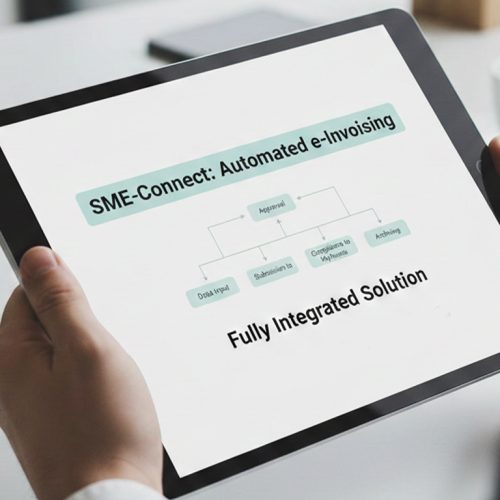
- Transaction Is Completed: A user finishes the relevant activity inside a Power App, creating the business record that starts the invoicing sequence.
- Information Is Collected: Customer, product, service, quantity, value, tax, and reference information is gathered from the connected application and data sources.
- Business Rules Are Applied: The transaction passes through the organization’s configured checks to establish whether the information is suitable for electronic invoice preparation.
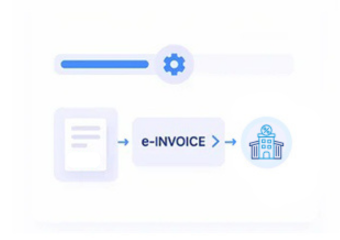
- Invoice Data Is Constructed: Required commercial and regulatory information is assembled into an electronic invoice representation rather than remaining as a standard application record.
- DGI Processing Takes Place: The prepared document enters the applicable Tunisia electronic invoicing route for DGI processing and receives the corresponding regulatory result.
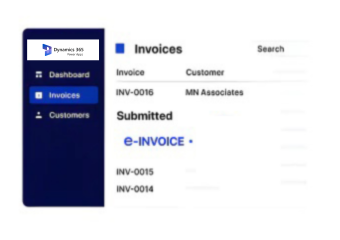
- The Application Record Is Updated: Invoice and processing information can be related back to the originating Power Apps transaction, completing the connection between the custom app and electronic document.
Extending Microsoft Power Apps Toward Tunisia DGI
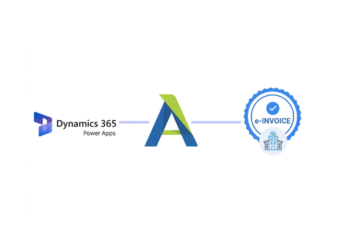
Advintek adds Tunisia DGI e-invoicing around Power Apps processes, allowing organizations to carry information from custom applications into electronic invoice preparation and regulatory processing.
- Connects custom app records with invoice workflows
- Uses business data captured through applications
- Prepares transaction information for DGI handling
- Relates invoices to originating application records
Where Custom Microsoft Power Apps Meet Regulatory Invoicing
- Your Application Can Stay Specialized: Power Apps can continue serving the specific business process it was designed for while electronic invoicing operates alongside it.
- Forms Become Useful Invoice Sources: Information entered during a business activity can provide practical input for the resulting invoice instead of requiring separate re-entry.
- Data Sources Provide the Bigger Picture: Connected records can supply customer, product, service, and transaction information that may not exist on a single app screen.
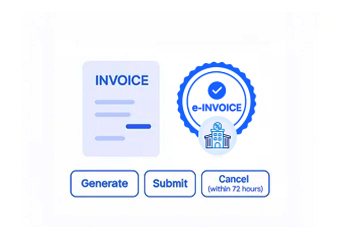
- Completion Can Mark the Handoff: When the business process reaches its required stage, the transaction can move toward electronic invoice preparation.
- Approval Can Precede DGI: Organizations that require internal confirmation can place review activity before the document enters DGI processing.
- The Custom Record Still Matters: Once processing is complete, invoice information can remain associated with the application record, preserving the relationship between the original business action and regulatory document.
Complete Control Over Tunisia E-Invoicing Workflows in One Platform
App-to-Invoice Data Bridging
Information captured through custom Power Apps can be transformed into invoice-ready data without making the application itself responsible for the full regulatory process.
Business Process Checkpoints
Configured application stages can help determine when transaction information is complete and ready for electronic invoice preparation.
Custom Record Traceability
Electronic invoices can be associated with the Power Apps records that generated them, supporting easier reference across custom business processes.
Microsoft Power Apps Processes Aligned With Tunisia DGI
Organizations using Microsoft Power Apps can connect custom applications, customer records, transaction data, approvals, and business processes with Tunisia DGI e-invoicing.
- Continue using purpose-built Power Apps
- Bring completed transactions into DGI processing
- Keep application and invoice records connected
- Maintain structured electronic documentation
Tunisia DGI e-Invoicing
Connect custom Power Apps processes with DGI electronic invoicing without turning every business application into a compliance system.
Carry transaction information, customer records, approvals, application data, regulatory responses, and electronic invoices through one connected process.
Ready e-Invoice System
Frequently Asked Questions Power Apps e-Invoicing Tunisia
Can Microsoft Power Apps connect with Tunisia DGI e-invoicing?
Yes. Power Apps transaction records can be connected with an electronic invoicing layer supporting applicable Tunisia DGI processing requirements.
What Power Apps information can become invoice data?
Depending on the application, customer details, products, services, quantities, transaction values, tax information, approvals, references, and other business records may contribute.
Can custom Power Apps trigger invoice preparation?
A completed or approved application process can provide the business event that starts electronic invoice preparation, depending on the organization’s configured workflow.
Does Power Apps need to handle DGI processing itself?
No. A connected e-invoicing layer can handle the electronic invoice preparation and DGI processing while Power Apps continues supporting the organization’s business process.
Can Power Apps records remain connected to DGI invoices?
Yes. Electronic invoice information and processing results can be associated with the originating Power Apps records, helping teams trace regulatory documents back to their business activity.