

Compliance That Fits Microsoft Dynamics 365 Field Service Users
How Microsoft Dynamics 365 Field Service Work Reaches Tunisia DGI
- Work Order Completion: A service job reaches its completed stage, creating the operational event from which applicable billing information can be gathered.
- Service Activity Assembly: Labor, parts, tasks, customer details, asset references, and other recorded work information are brought together.
- Billable Activity Determination: The collected service information is assessed to establish what belongs within the invoice and which commercial details should be represented.
- Invoice Content Preparation: Customer, service, value, tax, reference, and other required information is organized for electronic invoice creation.
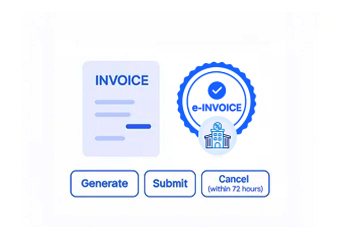
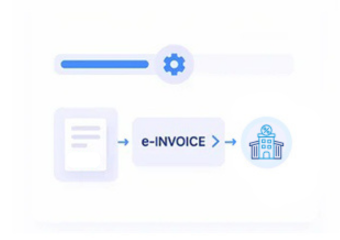
- DGI Regulatory Handling: The prepared invoice moves through the applicable Tunisia electronic invoicing process for DGI processing and regulatory response.
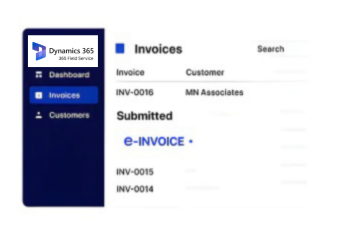
- Job Record Closure: The resulting invoice information can be associated with the completed work order, preserving the connection between service delivery and invoicing.
What Advintek Adds to Microsoft Dynamics 365 Field Service Billing
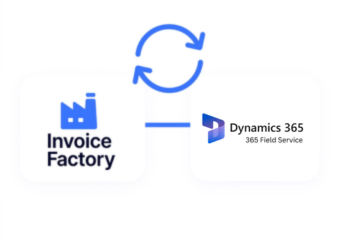
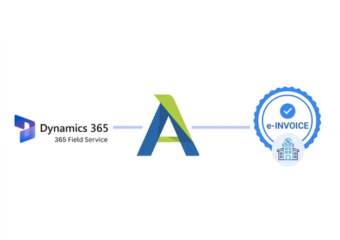
Advintek connects Microsoft Dynamics 365 Field Service work-order outcomes with Tunisia DGI e-invoicing, creating a route from completed service activity to structured, validated, traceable electronic documentation for regulatory processing.
- Collects billable information from completed service work
- Brings labor and parts into invoice preparation
- Checks required invoice information before DGI handling
- Connects invoices with completed work orders
Where Microsoft Dynamics Field Service Activity Becomes Invoice Information
- The Work Order Tells the Story: Instead of starting from a blank invoice, the electronic document can be built around the service job already recorded in Field Service.
- Technician Work Becomes Commercial Detail: Recorded labor and completed activities can help explain the service delivered and provide supporting information for billing.
- Used Parts Can Follow the Job: Materials consumed during a repair or maintenance visit can be represented alongside the service itself when applicable.
- Assets Give the Invoice a Reference: Customer equipment and asset records can provide additional context about what was serviced.
- Billing Reflects Completed Work: The invoice process can draw from the finished service activity, creating a closer relationship between what technicians recorded and what is invoiced.
- DGI Becomes the Regulatory Stage: After service information has been assembled and prepared, the resulting invoice proceeds into DGI processing while the original work-order context remains available.
Complete Control Over Tunisia E-Invoicing Workflows in One Platform
Work-Order Billing Preparation
Completed service orders can supply the operational information required to create electronic invoices from actual field activity.
Service Detail Consolidation
Labor, parts, assets, and completed tasks can be brought together so the invoice reflects the service performed.
Job-to-Invoice Traceability
Electronic invoices can remain connected to their originating work orders, helping teams investigate billing records through the underlying service history.
Microsoft Dynamics Field Service Operations Aligned With Tunisia DGI
Service organizations using Microsoft Dynamics 365 Field Service can connect work orders, technicians, parts, assets, customers, and completed service activity with Tunisia DGI invoicing while maintaining established workflows across daily service and accounting operations efficiently.
- Continue managing jobs through Field Service
- Bring completed work into DGI processing
- Keep service billing information organized
- Trace invoices back to work orders
Into Tunisia DGI Invoices
Connect Field Service work-order outcomes with DGI electronic invoicing while keeping service delivery at the center.
Bring technician activity, used parts, customer assets, completed tasks, and billing information together before regulatory processing.
Ready e-Invoice System
Frequently Asked Questions Microsoft Dynamics e-Invoicing Tunisia
Can Dynamics 365 Field Service connect with Tunisia DGI e-invoicing?
Completed Field Service activity can be connected with an electronic invoicing workflow supporting applicable Tunisia DGI processing requirements.
What Field Service information can contribute to an invoice?
Depending on the service, information may include work orders, labor, parts, quantities, customer details, asset references, completed tasks, service values, and applicable tax information.
Can technician activity become invoice information?
Recorded service activity can contribute to invoice preparation where it represents billable work included in the completed service transaction.
How are replacement parts handled in Field Service invoicing?
Applicable parts and quantities recorded against the work order can contribute to invoice details alongside the associated service activity.
Can DGI invoices remain connected to work orders?
Yes. Electronic invoice records can be associated with originating work orders, helping teams maintain continuity between field activity, billing, and regulatory documentation.