

Compliance That Fits GEN10 ERP Users
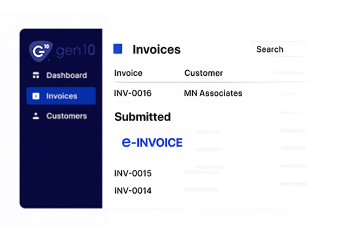
What Happens When Gen10 Data Enters the DGI Process
- Relevant Record Identification: The workflow begins by identifying Gen10 transactions that require electronic invoicing and collecting the information associated with each business activity.
- Invoice Information Assembly: Customer, product, service, transaction, tax, and reference details are brought together to form the basis of the electronic invoice.
- Requirement-Based Examination: The assembled information is checked against applicable DGI requirements, helping confirm that required invoice content is present and appropriately structured.
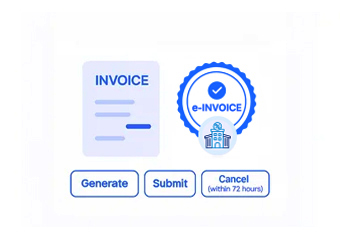
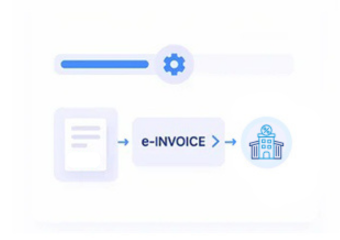
- Electronic Document Preparation: Once reviewed, the information is arranged into the applicable electronic invoice format for the next stage of regulatory processing.
- DGI Submission Processing: Prepared documents move through the applicable Tunisia electronic invoicing infrastructure, where DGI-related processing and responses are handled through the connected workflow.
- Final Record Association: Processing outcomes are linked back to the invoice information, helping maintain a complete history between Gen10 transactions and resulting electronic documents.
What Does Advintek’s GEN10 ERP Connector Actually Do?
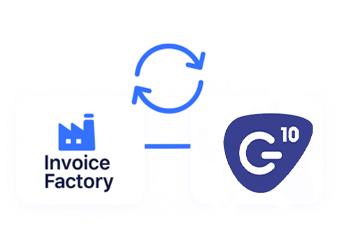
Advintek connects Gen10 transaction records with Tunisia DGI e-invoicing, creating a controlled route for invoice preparation, information review, regulatory processing, and electronic record management.
- Identifies applicable Gen10 transactions for invoice processing
- Organizes source information into structured invoice records
- Performs DGI-focused checks before regulatory handling
- Associates processing results with electronic invoices
Why GEN10 ERP Users Choose Advintek
- Source Data Stays Useful: Information already recorded in Gen10 can contribute directly to invoice preparation instead of being collected again through separate processes.
- Invoice Creation Becomes More Structured: A defined preparation sequence brings transaction information together before it reaches the DGI processing stage.
- Potential Gaps Become Visible: Missing or inconsistent information can surface during review, allowing teams to address the record before transmission.
- References Follow the Document: Invoice and transaction identifiers remain connected throughout the workflow, supporting easier tracing between source activity and electronic records.
- Regulatory Activity Becomes Easier to Follow: Processing responses provide useful visibility into what happens after an invoice enters the DGI workflow.
- Records Remain Ready for Reference: Organized electronic documents give teams a clearer historical view of invoices processed from Gen10 business activity.
Everything You Need for Tunisia E-Invoicing in One Place
Source-to-Invoice Connectivity
Gen10 business records can feed the invoice workflow, preserving relevant transaction context while electronic documents are prepared.
DGI Review Controls
Invoice information passes through defined checks before regulatory processing, helping teams identify details that require attention beforehand.
Document History Management
Electronic invoices and their processing information remain organized, supporting easier retrieval and continuity with originating Gen10 records.
Gen10 Operations Prepared for Tunisia DGI
Organizations using Gen10 can connect applicable business transactions with DGI electronic invoicing while retaining established processes for managing everyday records.
- Continue working with existing Gen10 records
- Send applicable transactions through DGI processing
- Keep electronic documents organized
- Maintain links between transactions and invoices
Tunisia DGI e-Invoicing
Connect applicable Gen10 transaction information with DGI processing through a structured electronic invoice workflow.
Give teams a clearer path from original business records through invoice preparation, regulatory processing, response handling, and electronic document retention.
Ready e-Invoice System
Frequently Asked Questions GEN10 ERP E-Invoicing Tunisia
Can Gen10 work with Tunisia DGI e-invoicing?
Gen10 business information can be connected with an electronic invoicing layer that prepares applicable invoice data and supports processing according to Tunisia DGI requirements.
What happens to Gen10 records during e-invoicing?
Applicable transaction information is selected, organized, reviewed, and converted into structured electronic invoice data before moving through the DGI processing workflow.
Which Gen10 information can be used for invoices?
Yes. The connected workflow can examine invoice information before regulatory processing, giving teams an opportunity to identify and address incomplete or inconsistent details.
Can Gen10 invoices be reviewed before reaching DGI?
Yes. The connected workflow can examine invoice information before regulatory processing, giving teams an opportunity to identify and address incomplete or inconsistent details.
What happens after a Gen10 invoice is submitted?
Processing responses can be associated with the relevant invoice record, allowing businesses to follow regulatory activity and retain organized electronic documentation.