

Tunisia E-Invoicing Compliance Solutions and Digital Tax

Microsoft Dynamics 365 Sales Compliance
Start Compliance Setup Connected With Tunisia DGI e-Invoicing
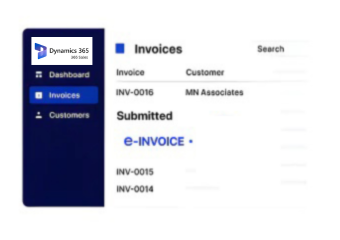
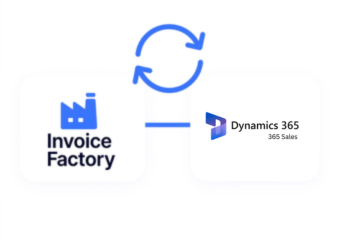
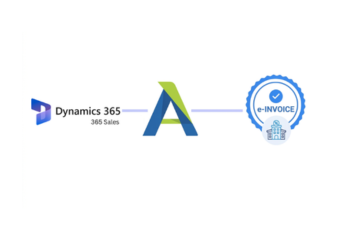
Advintek connects Microsoft Dynamics 365 Sales with Tunisia DGI e-invoicing, helping sales teams carry customer and transaction information from deal closure into electronic invoicing.
Powerful features

Compliance Built for Revenue and Sales Workflows

Affordable pricing for SMEs

Simple, Transparent Pricing

Starting from as low as

RM 20

From Microsoft Dynamics 365 Sales Opportunity to Tunisia DGI Invoice

  • Deal Reaches Completion: A finalized sales opportunity or related transaction provides the trigger for identifying business activity that should enter the invoicing process.
  • Commercial Details Are Brought Forward: Information from quotes, accounts, products, orders, and agreed transaction terms is gathered around the completed sale.
  • The Customer and Sale Are Matched: Buyer information is connected with the relevant commercial record so the invoice represents the correct business transaction.
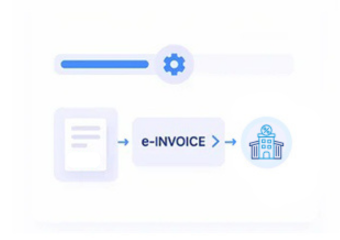
  • Invoice Information Takes Form: Product lines, quantities, values, tax information, references, and other required details are assembled into an electronic invoice record.
  • DGI Receives the Document: The prepared invoice enters the applicable Tunisia electronic invoicing route for DGI processing and regulatory response.
  • The Sales Record Remains the Reference: The resulting electronic invoice can be connected with the originating sales activity, giving teams a traceable path from deal closure to regulatory documentation.

Extending Dynamics 365 Sales Into DGI Invoicing

Advintek connects the commercial side of Dynamics 365 Sales with Tunisia DGI e-invoicing, helping organizations turn completed sales activity into structured electronic invoice documentation.

What is Advintek's e-invoice connector for Zoho Books
Why-Affinity-CRM-Users

When the Microsoft Dynamics 365 Sales Pipeline Becomes an Invoice

  • A Closed Deal Has More Than a Status: Once an opportunity is won, its commercial information can continue into invoicing rather than ending with the sales team’s process.
  • Quotes Can Become Useful Invoice Sources: Accepted commercial terms provide valuable detail about what was agreed, helping establish the contents of the resulting invoice.
  • Customer Relationships Stay Visible: Account and contact information can remain connected with the transaction, preserving useful context as the document moves toward DGI.
  • Products Tell the Commercial Story: Items and quantities from the sale help transform a completed commercial agreement into recognizable invoice lines.
  • Orders Create a Natural Handoff: The sales order can act as the bridge between commercial agreement and the financial document requiring electronic processing.
  • DGI Processing Completes the Commercial Journey: After the invoice has been prepared from the sales record, it enters DGI handling while its connection to the originating deal remains available.
Powerful features

Complete Control Over Tunisia E-Invoicing Workflows in One Platform

Built for UAE Businesses Using QuickBooks

From Microsoft Dynamics 365 Sales to Tunisia DGI

Organizations using Dynamics 365 Sales can connect opportunities, quotes, customers, products, orders, and completed sales with Tunisia DGI electronic invoicing.

Turn Completed Microsoft Dynamics 365 Sales Into

Tunisia DGI e-Invoices

Connect successful sales activity with DGI electronic invoicing while keeping customer and commercial context intact.

Move quotes, orders, products, customer records, and transaction details into invoice processing without disconnecting them from the sales journey.

Ready e-Invoice System

0 % DGI

Frequently Asked Questions Microsoft Dynamics e-Invoicing Tunisia

Can Microsoft Dynamics 365 Sales connect with Tunisia DGI e-invoicing?

Yes. Relevant sales information can be connected with an electronic invoicing workflow supporting applicable Tunisia DGI processing requirements.

Accepted quote information can contribute to invoice preparation where the quoted products, quantities, values, and commercial terms correspond with the completed transaction.

Depending on the transaction, account details, contacts, products, quantities, quotes, sales orders, transaction values, references, and applicable tax information may contribute.

A completed opportunity can provide the commercial context for invoicing, while the applicable transaction information still needs to be prepared and processed through the DGI workflow.

Yes. Electronic invoices can remain associated with originating sales records, helping teams connect DGI documentation with the customer and commercial activity that produced it.