

Compliance That Fits Microsoft Dynamics Users
How Microsoft Dynamics Works with Advintek
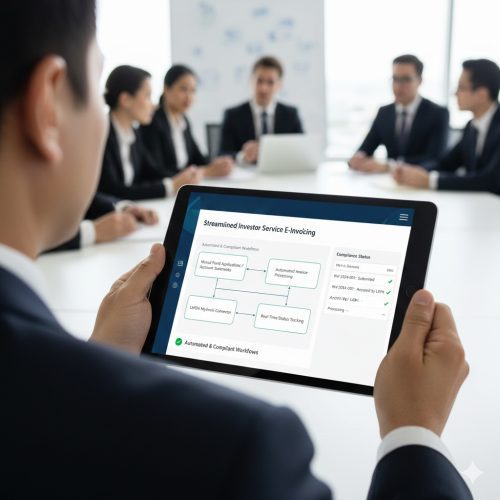
- Business Activity Identification: Relevant sales, customer, product, service, order, and financial records are selected from Microsoft Dynamics for electronic invoice preparation.
- Information Assembly: Data from the originating business activity is brought together, creating a complete information set for the invoice.
- DGI Requirement Review: Invoice content is examined for applicable taxpayer details, references, taxable values, VAT information, and other required fields before regulatory handling.
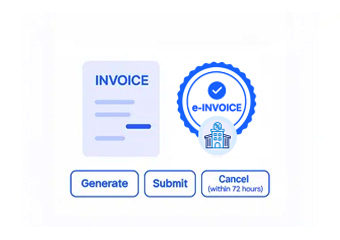
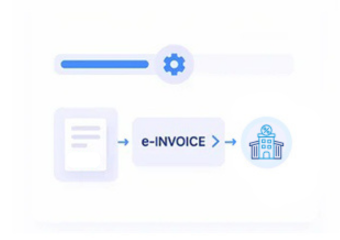
- Electronic Document Construction: Reviewed information is arranged into the appropriate electronic invoice structure for Tunisia DGI processing environment.
- Regulatory Processing: Prepared invoices move through the applicable Tunisia electronic invoicing infrastructure for DGI handling, with processing responses returned through the connected workflow.
- Business Record Association: The resulting invoice and processing information are connected with relevant Dynamics records, preserving the relationship between source activity and electronic documentation.
What Advintek Adds Around Microsoft Dynamics
Advintek places a structured DGI e-invoicing layer around Microsoft Dynamics, connecting business information with invoice preparation, regulatory checks, electronic processing, and document tracking across established business and accounting workflows.
- Brings applicable Dynamics records into invoice workflows
- Organizes sales and financial information for invoices
- Checks required content before DGI processing
- Connects electronic documents with source transactions
Why Microsoft Dynamics Users Choose Advintek
- Sales Information Moves Forward: Existing Dynamics sales records can provide invoice information directly, keeping the electronic document grounded in the original commercial activity.
- Customer Context Remains Visible: Account details can stay associated with the invoice, helping preserve the relationship between the customer and the underlying transaction.
- Product Details Retain Their Place: Item and service information can populate invoice lines without separating those details from their originating business records.
- Financial Data Gets Its Own Review: Values and applicable VAT information are examined before regulatory processing, creating a defined checkpoint within the workflow.
- Order References Improve Traceability: Relevant order and transaction identifiers help connect electronic invoices with the activity that generated them.
- DGI Handling Becomes Structured: Once the invoice passes preparation and review, it follows a defined path through regulatory processing and response handling.
Everything You Need for Tunisia E-Invoicing in One Place
Business Data Orchestration
Relevant sales, customer, order, product, service, and financial information can be brought together to form structured electronic invoice records.
Invoice Status Visibility
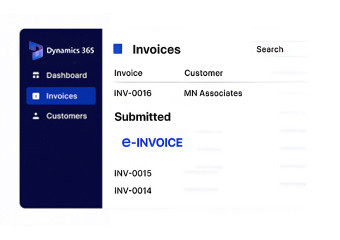
Processing activity can be followed from preparation through DGI handling and responses, giving teams clearer awareness of invoice progress.
Connected Record Management
Electronic invoices remain associated with relevant Dynamics information, supporting continuity between operational activity and regulatory documentation.
Microsoft Dynamics Operations Connected to Tunisia DGI
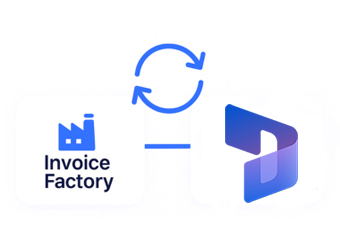
Organizations using Microsoft Dynamics can connect sales, customer, order, product, service, inventory, and financial information with Tunisia DGI electronic invoicing while maintaining established workflows across their daily business operations.
- Continue managing business activity through Dynamics
- Bring applicable records into DGI processing
- Keep invoice information structured and accessible
- Preserve links with originating transactions
Tunisia DGI e-Invoicing
Connect relevant Dynamics business records with DGI processing through structured electronic invoice preparation and review.
Keep sales information, customer records, product details, financial values, regulatory responses, and electronic documents connected across everyday business operations.
Ready e-Invoice System
Frequently Asked Questions Microsoft Dynamics E-Invoicing Tunisia
Can Microsoft Dynamics connect with Tunisia DGI e-invoicing?
Applicable Microsoft Dynamics business information can connect with an electronic invoicing workflow designed to support relevant Tunisia DGI processing requirements.
How does Microsoft Dynamics information reach DGI?
Advintek can collect applicable Dynamics records, organize invoice information, perform relevant checks, and route prepared electronic invoices through the DGI processing workflow.
What Microsoft Dynamics information can support electronic invoices?
Depending on the transaction, relevant information may include customers, sales orders, products, services, quantities, invoice values, taxable amounts, VAT information, and transaction references.
Can Microsoft Dynamics invoices be reviewed before DGI processing?
Yes. Applicable invoice information can be examined before regulatory handling, helping identify incomplete or inconsistent details before the document continues through processing.
Can Microsoft Dynamics invoices be tracked after DGI processing?
Processing responses can remain associated with the electronic invoice and relevant Dynamics records, helping teams follow invoice activity and maintain organized documentation.