

Compliance That Fits Microsoft Dynamics 365 Commerce Users
The Retail Path From Commerce Sale to DGI
- Sale Completion: Once a customer transaction reaches its completed state, the relevant Commerce information becomes available for the electronic invoicing process.
- Channel Recognition: The workflow establishes the originating retail context, distinguishing the transaction before invoice information is assembled.
- Commercial Reconstruction: Product lines, quantities, customer information, discounts, taxes, totals, and transaction references are brought together to describe the sale accurately.
- Invoice Qualification: The transaction is assessed to determine whether the information satisfies the conditions required for Tunisia DGI electronic invoicing.
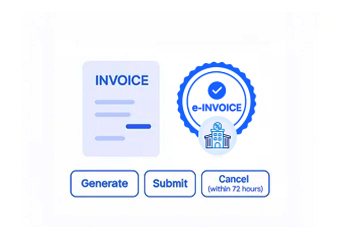
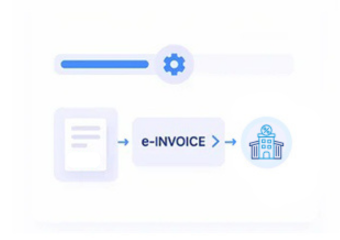
- DGI Submission: The resulting electronic document moves through the applicable regulatory channel for DGI processing and receives the corresponding processing outcome.
- Retail Reconciliation: The invoice can then be related back to the completed Commerce transaction, supporting subsequent financial review and record management.
What Advintek Changes for Dynamics 365 Commerce
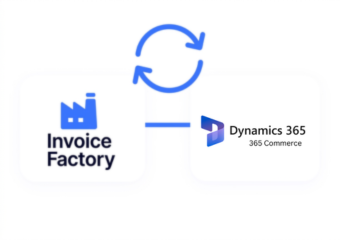
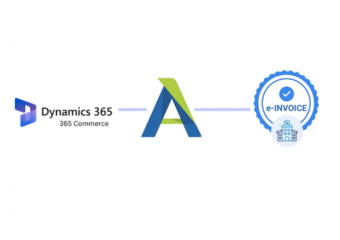
Advintek creates a dedicated Tunisia DGI invoicing connection around Dynamics 365 Commerce, allowing retail transactions to progress from completed sales into regulated electronic documentation.
- Brings completed retail transactions into DGI invoicing
- Preserves channel and merchandise context
- Accounts for commercial adjustments during preparation
- Connects invoiced sales with retail records
Built Microsoft Dynamics 365 Commerce Around the Reality of Retail Commerce
- Multiple Selling Points, Connected Invoicing: Retailers operating through different Commerce channels can bring qualifying transactions into one electronic invoicing approach without treating every sales environment separately.
- The Customer Journey Remains Visible: Information captured during the purchase can continue into the invoice, keeping the electronic document connected to the customer’s transaction.
- Merchandising Information Adds Substance: Product variants, descriptions, quantities, and other merchandise details help make each invoice line representative of what was actually sold.
- Promotional Activity Is Not Lost: Discounts and commercial adjustments can remain part of the transaction story, helping the electronic invoice reflect the final sale rather than an earlier value.
- DGI Processing Sits After Retail Activity: The regulatory stage follows the commercial event, allowing the invoice process to work from completed transaction information rather than disrupting how retailers sell.
- Reconciliation Brings the Two Records Together: Once electronic invoicing has been processed, businesses can relate the invoice back to Commerce activity for clearer financial and operational review.
Complete Control Over Tunisia E-Invoicing Workflows in One Platform
Channel-Aware Invoice Handling
Transactions from different Commerce selling environments can retain their originating context while entering the Tunisia DGI invoicing process.
Retail Transaction Reconstruction
Products, quantities, customer information, discounts, and transaction totals can be brought together to represent the completed sale.
Invoice-to-Sale Reconciliation
Electronic invoice records can be related to Commerce transactions, helping teams investigate differences and maintain stronger retail documentation.
Keeping Retail Operations Aligned With Tunisia DGI
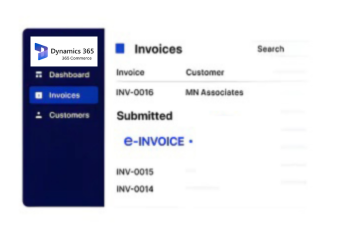
Dynamics 365 Commerce users can connect store, digital, customer, product, promotion, and transaction activity with Tunisia DGI electronic invoicing.
- Keep retail selling processes unchanged
- Bring qualifying sales into DGI processing
- Maintain detailed transaction documentation
- Relate invoices back to completed sales
Tunisia DGI e-Invoicing
Connect Dynamics 365 Commerce transactions with DGI invoicing while keeping the retail experience and selling operations familiar.
Move completed sales into electronic processing with their merchandise, customer, channel, transaction, and commercial context intact.
Ready e-Invoice System
Frequently Asked Questions Microsoft Dynamics e-Invoicing Tunisia
Can Dynamics 365 Commerce support Tunisia DGI e-invoicing?
Dynamics 365 Commerce transactions can be connected to an electronic invoicing layer that prepares and processes qualifying invoices according to Tunisia DGI requirements.
Does DGI invoicing affect the retail checkout experience?
The electronic invoicing process can operate around completed Commerce transactions, allowing the existing retail selling process to remain the primary operational environment.
Can invoices include products and quantities from Commerce?
Yes. Product, variant, quantity, and item information from the completed Commerce transaction can contribute to the corresponding electronic invoice.
How are discounts handled in Commerce e-invoicing?
Applicable discounts and promotional adjustments can be considered when the completed transaction is transformed into electronic invoice information.
Can retailers connect invoices with their Commerce transactions?
Yes. Electronic invoices can be associated with originating Commerce sales, supporting reconciliation between retail activity and DGI electronic documentation.