

Compliance That Fits SAP Business One Users
How SAP Business One Transaction Reaches Tunisia DGI
- A Customer Request Begins: The transaction can originate with a quotation capturing what the customer is seeking from the business.
- The Request Becomes an Order: Once confirmed, the sales order establishes the products, quantities, customer details, and references associated with the transaction.
- Fulfillment Updates the Record: Delivery activity adds information about the goods supplied, creating a connection between the order and fulfillment.
- Billing Creates the Invoice: SAP Business One generates the relevant receivable invoice using the commercial and financial information accumulated through the transaction.
- Accounting Finalizes the Financial Context: The invoice becomes part of the broader accounting record, bringing the transaction into the financial side of Business One.
- DGI Receives the Electronic Document: Relevant invoice information is prepared for Tunisia DGI processing, completing the transition from internal business transaction to electronic invoice.
Put the SAP Business One Sales Cycle to Work for DGI
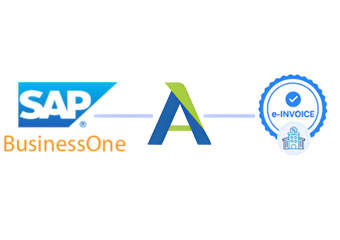
Advintek connects the complete SAP Business One sales journey with Tunisia DGI e-invoicing, allowing transaction information to progress from commercial activity into electronic invoice preparation, validation, submission, tracking, and regulatory processing.
- Carries quotation details into transaction history
- Connects confirmed orders with fulfillment records
- Brings billing information into DGI preparation
- Links electronic invoices with accounting transactions
One Transaction, Multiple Business Milestones
- The Quote Sets Expectations: The quotation provides the first structured view of the commercial requirement and gives later transaction stages an identifiable starting point.
- The Order Creates Commitment: Once accepted, the sales order records what the customer requested and establishes the reference used throughout fulfillment.
- The Delivery Confirms Fulfillment: Delivery information connects the promised goods with what was actually supplied, strengthening the transaction history before billing.
- The Invoice Establishes the Financial Document: Accounts receivable invoicing turns the completed commercial activity into a formal financial record containing relevant transaction details.
- The Posting Extends Into Accounting: Financial posting connects the invoice with the company’s accounting records, giving the document context beyond the sales module.
- The DGI Process Extends the Journey: Electronic invoice processing carries the finalized transaction into Tunisia DGI framework while preserving its relationship with the originating business records.
Everything You Need for Tunisia E-Invoicing in One Place
Sales Cycle Integration
Business One connects quotations, orders, deliveries, and invoicing, creating a continuous transaction history that can support electronic invoice preparation.
Fulfillment Information
Delivery activity provides useful evidence about supplied goods and connects warehouse movement with the corresponding customer transaction.
Financial Posting
Accounts receivable and accounting records provide the financial foundation surrounding invoices generated from completed sales activity.
Move Completed Sales Into Tunisia DGI
Businesses using SAP Business One can connect their sales lifecycle, fulfillment records, receivables, accounting information, and tax details with Tunisia DGI e-invoicing while maintaining established workflows and supporting invoice preparation, validation, submission, tracking, and compliance processing.
- Keep established sales processes within Business One
- Carry fulfillment information into invoice preparation
- Connect billing with accounting records
- Maintain transaction history after DGI processing
With Tunisia DGI Electronic Invoicing
Extend the existing SAP Business One sales cycle into Tunisia DGI e-invoicing, keeping commercial, fulfillment, billing, and accounting information connected.
From the initial quotation through order confirmation, delivery, invoicing, accounting, and DGI processing, relevant transaction information follows one structured route.
Ready e-Invoice System
Frequently Asked Questions SAP Business One E-Invoicing Tunisia
Can SAP Business One support Tunisia DGI electronic invoicing?
Yes. Relevant sales, delivery, billing, accounting, customer, inventory, and tax information can connect with an electronic invoicing workflow supporting applicable Tunisia DGI requirements.
Can quotations contribute to the electronic invoicing process?
Quotations can provide the initial commercial context, while finalized transaction information from subsequent sales stages can support the resulting electronic invoice.
How do sales orders support SAP Business One e-invoicing?
Sales orders establish the confirmed customer request and provide product, quantity, and transaction references that can support later invoice preparation.
Can delivery records be connected with electronic invoices?
Yes. Applicable delivery information can provide fulfillment context and connect supplied goods with the corresponding sales and invoice records.
Can SAP Business One accounting records remain linked with invoices?
Yes. Relevant accounts receivable and accounting information can remain associated with the originating transaction, supporting financial review and document tracing.