

Tunisia E-Invoicing Compliance Solutions and Digital Tax

Microsoft Dynamics 365 Business Central
Start Compliance Setup Meets Tunisia DGI e-Invoicing
Advintek extends Business Central with a structured Tunisia DGI e-invoicing layer, turning everyday sales and finance activity into compliant electronic invoice workflows.
Powerful features

Compliance That Fits Microsoft Dynamics Business Central Users

Affordable pricing for SMEs

Simple, Transparent Pricing

Starting from as low as

RM 20

From Business Central Activity to a DGI Invoice

  • Identify the Commercial Event: The workflow begins by locating the Business Central transaction that requires electronic invoicing and gathering its associated business information.
  • Build the Invoice Picture: Customer, item, quantity, account, tax, and document details are brought together to represent the transaction as one coherent invoice.
  • Check Regulatory Completeness: The assembled information is assessed for applicable DGI requirements, allowing missing or unsuitable details to be addressed before processing.
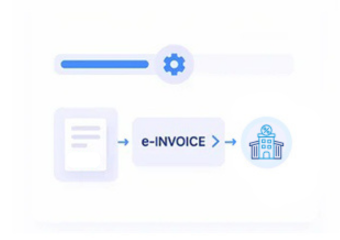
  • Create the Electronic Representation: Validated information is converted into the required electronic invoice structure rather than leaving the document in its original Business Central form.
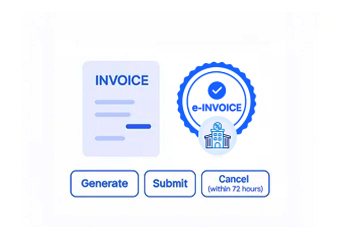
  • Move Through DGI Processing: The prepared invoice is routed through the applicable Tunisia electronic invoicing process for DGI handling and regulatory response.
  • Return the Result to the Record: Processing information is associated with the relevant electronic invoice and Business Central transaction, completing the document trail.

What Advintek Adds Around Business Central

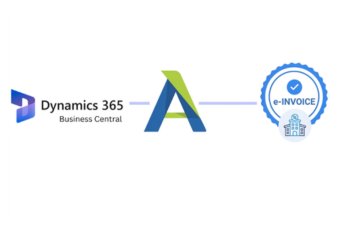
Advintek creates a dedicated connection between Business Central operations and Tunisia DGI e-invoicing, allowing commercial and accounting information to move through preparation, regulatory processing, and record management.

What is Advintek's e-invoice connector for Zoho Books
Why-Affinity-CRM-Users

Turning Business Central Information Into Better Invoice Control

  • Information Comes From Existing Activity: Teams can build electronic invoices from information already captured during normal Business Central operations rather than entering the same transaction details again.
  • Commercial and Financial Views Meet: Sales information and relevant accounting data can contribute to the same electronic document, giving the invoice a more complete business foundation.
  • Customer Data Has a Defined Role: Account information helps establish the recipient and billing relationship, reducing ambiguity when invoices move into regulatory processing.
  • Invoice Lines Reflect Actual Business Activity: Product and service details can be carried into the document according to the transaction that generated them.
  • Tax Details Become Part of Preparation: Applicable VAT and taxable information receive attention before DGI handling, creating a clearer control point within the process.
  • The Document Can Be Followed Afterwards: Once DGI processing produces a result, that information can remain associated with the electronic invoice and its originating Business Central activity.
Powerful features

Complete Control Over Tunisia E-Invoicing Workflows in One Platform

Built for UAE Businesses Using QuickBooks

Business Central Sales and Finance Connected to DGI

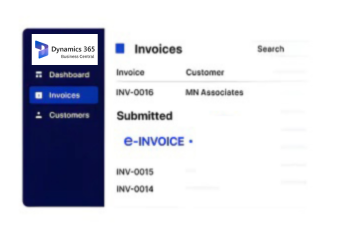
Business Central users can bring applicable customer, sales, item, tax, and accounting information into Tunisia DGI electronic invoicing without separating invoicing from everyday business activity.

Move Business Central Into

Tunisia DGI e-Invoicing

Give Business Central transactions a structured route into Tunisia DGI electronic invoicing and regulatory processing.

Keep the connection between commercial activity, customer information, financial records, electronic invoices, and DGI processing outcomes.

Ready e-Invoice System

0 % DGI

Frequently Asked Questions Microsoft Dynamics e-Invoicing Tunisia

Can Microsoft Dynamics 365 Business Central be connected with Tunisia DGI e-invoicing?

Yes. Relevant Microsoft Dynamics 365 Business Central sales and financial information can be connected with an electronic invoicing workflow designed around applicable Tunisia DGI requirements.

Relevant transaction data is collected, organized, checked, and transformed into an electronic invoice before moving through the applicable DGI processing workflow.

Depending on the transaction, customer information, sales documents, item details, quantities, tax information, financial values, references, and related records may contribute.

The connected approach is designed to place the electronic invoicing process around existing Microsoft Dynamics 365 Business Central activity, minimizing the need to restructure normal operational workflows.

Yes. Relevant electronic invoice information and DGI processing results can remain associated with originating Microsoft Dynamics 365 Business Central records for reference and traceability.