

Compliance Built for Automated Invoice Operations
How Microsoft Power Automate Orchestrates DGI Invoicing
- A Business Event Occurs: The flow begins when a configured trigger identifies an activity that requires electronic invoice processing.
- Information Is Gathered Across Services: Data is collected from connected applications, forms, databases, or business systems according to the flow’s configured actions.
- The Invoice Path Is Determined: Conditions and business rules direct the transaction toward preparation, review, correction, or the next processing stage.
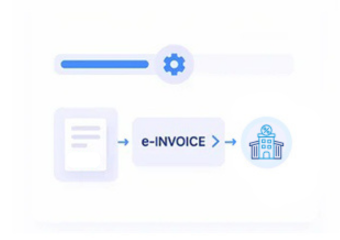
- The Electronic Document Is Prepared: Required transaction and regulatory information is assembled into an electronic invoice suitable for Tunisia DGI process.
- DGI Handles the Invoice: The prepared document moves through the applicable Tunisia electronic invoicing infrastructure for DGI processing and response.
- Power Automate Continues the Flow: The returned outcome can trigger subsequent actions such as record updates, notifications, exception handling, or completion steps.
What Advintek Adds to Microsoft Power Automate
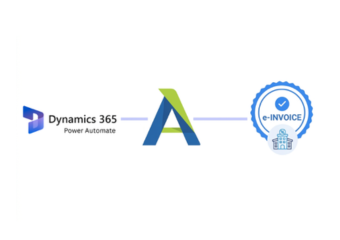
Advintek gives Microsoft Power Automate a dedicated Tunisia DGI invoicing path, allowing existing automated processes to extend beyond internal actions into electronic invoice preparation and regulatory handling.
- Starts invoicing from configured business events
- Collects invoice information across connected systems
- Directs records through preparation and review stages
- Returns DGI outcomes into automated flows
Microsoft Power Apps Making Automation Work Beyond Internal Processes
- Triggers Can Start the Right Event: Existing Microsoft Power Automate triggers can identify when a business transaction reaches the stage where electronic invoicing should begin.
- Data Can Come From Several Places: Invoice information does not have to originate in one application; connected services can contribute the records required by the flow.
- Conditions Can Prevent Premature Processing: Flow logic can check whether required information is available before sending a transaction further through the invoicing sequence.
- Approvals Can Fit Existing Governance: Where teams require human confirmation, an approval step can be positioned before the electronic invoice enters DGI processing.
- Exceptions Can Become Actions: Instead of leaving an unsuccessful transaction unattended, the flow can direct it toward correction, notification, or another configured response.
- DGI Results Can Drive What Happens Next: Regulatory responses can become inputs for subsequent automated actions, allowing the wider business process to continue according to the returned outcome.
Complete Control Over Tunisia E-Invoicing Workflows in One Platform
Trigger-Based Invoice Initiation
Configured Microsoft Power Automate events can begin electronic invoice preparation when qualifying business activity reaches the required stage.
Conditional Process Routing
Flow conditions can direct transactions through approval, correction, preparation, and other stages based on the information available.
Automated Response Handling
DGI processing results can feed subsequent Power Automate actions, helping connected systems respond without requiring every step to be handled.
Microsoft Power Automate Workflows Connected to Tunisia DGI
Organizations using Microsoft Power Automate can connect automated business events, data sources, approvals, conditions, and system actions with Tunisia DGI e-invoicing.
- Keep existing automated flows in operation
- Add DGI processing to qualifying transactions
- Route exceptions through defined actions
- Return invoice results to connected systems
Into Tunisia DGI Invoicing
Add Tunisia DGI electronic invoicing to Microsoft Power Automate processes without rebuilding the broader business automation architecture.
Let triggers, conditions, approvals, connected applications, regulatory responses, and follow-up actions work together through one automated invoice journey.
Ready e-Invoice System
Frequently Asked Questions Power Automate e-Invoicing Tunisia
Can Power Automate be used with Tunisia DGI e-invoicing?
Yes. Microsoft Power Automate workflows can connect with an electronic invoicing layer supporting applicable Tunisia DGI processing requirements.
Can an existing Power Automate flow trigger e-invoicing?
A configured business event within an existing flow can initiate electronic invoice preparation when the associated transaction reaches the required stage.
Can Power Automate collect invoice information from multiple systems?
Yes. Connected applications, databases, forms, and services can contribute information to a flow before the electronic invoice is prepared.
Can approvals be included before DGI processing?
Yes. Microsoft Power Automate approval actions can provide an internal review stage before qualifying invoice information proceeds into the DGI workflow.
What happens after DGI processes an invoice?
The returned result can become an input for subsequent Microsoft Power Automate actions, such as updating records, notifying users, or directing an exception process.